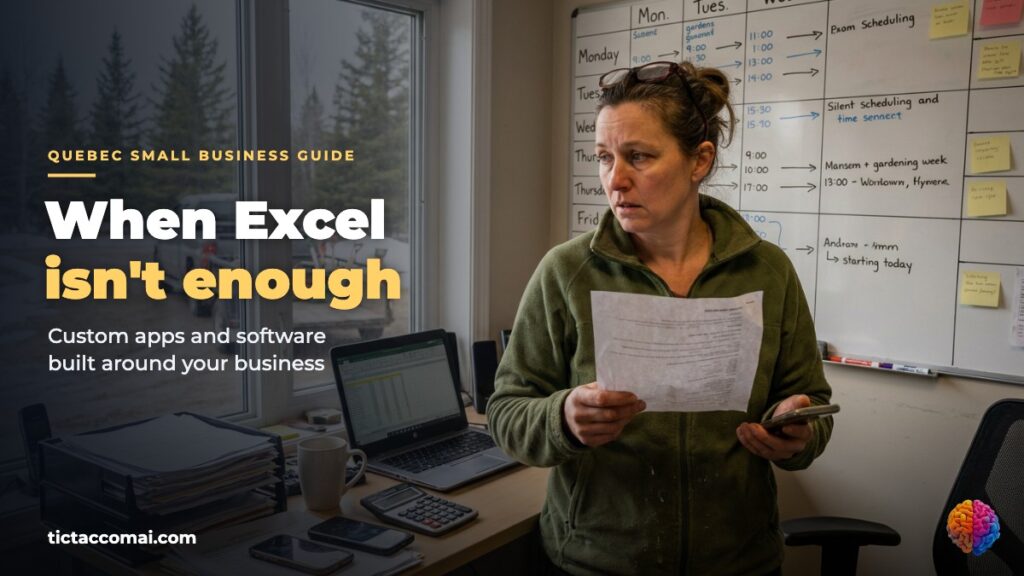
Let’s call her Sylvie. She runs a landscaping company in the Laurentians: nine employees, three trucks and a few more clients every spring. Her business works well. Her tools, a little less.
Quotes are written in Word, then copied into an Excel sheet. The weekly schedule lives on a whiteboard at the office, and a photo of the whiteboard gets texted to the crews every Monday. Hours come in on paper. Photos of finished jobs are scattered across four phones. At the end of the month, Sylvie spends two evenings putting it all together for invoicing.
Nothing here is broken. But every week, hours disappear into copying, searching and double-checking. And when a crew drives to the wrong address because the whiteboard changed after the photo was sent, it costs more than time.
Sylvie’s situation is very common among small businesses in Quebec. And more and more often, the answer is not another subscription to a generic tool, but a small application built around the way the business already works.
Signs your business has outgrown its tools
You don’t need a big digital transformation project to feel that something is off. These signs are usually enough:
- The same information is typed in two or three different places.
- Only one person really understands how “the file” works, and everyone panics when they go on vacation.
- Your team coordinates with group texts, sticky notes and screenshots.
- You pay for several apps that each do 30% of what you need, and none of them talk to each other.
- Customers ask for things you can’t easily offer: booking online, checking the status of their order, getting a quote in minutes instead of days.
- You put off growing because you can’t picture handling twice the volume with today’s tools.
If you recognized yourself in two or three of these, you’re not disorganized. You’ve simply grown faster than your tools.
What a “custom app” really is (it’s smaller than you think)
When people hear “custom software,” they picture a two-year project and a six-figure budget. For a small business, it is usually much more modest. A custom app can be:
- An internal web tool your team opens on a phone or a computer: job tracking, timesheets, inventory, checklists.
- A quote or price calculator on your website that gives customers an answer in two minutes.
- A client portal where customers follow their project, approve a quote or download their documents.
- An online booking or ordering system adapted to your real constraints, not a generic one.
- An automation that connects the tools you already use, so information is entered once and flows everywhere.
- An AI assistant fed with your own documents, which answers frequent customer questions or drafts quotes.
What they have in common: the tool does one job very well, your way, instead of forcing you to change your methods to fit software designed for someone else.
Off-the-shelf or custom? An honest answer
Custom is not always the right answer. If an existing tool does 90% of what you need at a reasonable price, use it. Accounting software, for example, is rarely worth rebuilding.
Custom starts to make sense when:
- Your way of working is part of what makes you better than your competitors.
- You juggle several tools and pay for all of them, without ever getting the full picture anywhere.
- The time lost each week, multiplied over a year, costs more than building the right tool once.
- You need something that simply doesn’t exist for your industry or your region, including in French.
A simple test: count the hours your team spends each week copying, searching for or fixing information. Multiply by an hourly rate, then by 52 weeks. The result is often surprising.
Why 2026 changes the math
Until recently, a custom app was out of reach for most small businesses. Development took months, and every change came with a new invoice.
Artificial intelligence has changed that. Modern development tools let a small team build a working prototype in days rather than months. So you can see, touch and test your tool very early, before investing heavily. And the app itself can include AI: summarizing a client file, drafting a quote from a few notes, sorting incoming requests or answering frequent questions in French and English.
In short, what used to be reserved for large companies is now realistic for a business with five, ten or twenty employees.
How a good project goes, step by step
- A conversation about the problem, not the technology. What takes too much time? What frustrates your team or your customers?
- Choosing one problem to solve first. The best projects start small and grow from there.
- A quick prototype. You see real screens and real interactions within days, and you adjust right away.
- Testing with the people who will use it. Your field crew or your office staff are your best critics.
- Launch, then adjustments. A good tool evolves with your business.
Questions to ask before you start
- Who owns the code and the data? The answer should be: you.
- Where is the data hosted? With Law 25 in Quebec, you need to know where your customers’ personal information is stored and who can access it.
- Does it work on a phone, in the truck or on the job site?
- Is it bilingual, if your customers or employees need it?
- What happens if you need a change in six months, and how much does it cost?
- Can the tool connect to what you already use: accounting, email, calendar, website?
What it looks like in practice
At Tic Tac Com AI, we build this kind of tool for small businesses, and we use them ourselves. Our animated explainer video generator and our AI image and video studio are custom applications we designed, built and run on our own website, with payment, customer accounts and AI built in. It’s the same approach we bring to a local business: start from a real need, build quickly, test, then improve.
For Sylvie, a first version could be very simple: a web app where she creates the quote once, turns it into a job with one click, assigns it to a crew, then receives hours and photos straight from the phones. No more photo of the whiteboard. No more two evenings of invoicing.
Frequently asked questions
How much does a custom app cost for a small business?
It depends on the scope, and that’s why it’s worth starting small. A simple internal tool or a quote calculator is a very different project from a full client portal. A good provider will give you a clear estimate after understanding your problem, and will suggest a first version that delivers value quickly.
How long does it take?
A first working version of a simple tool can often be ready in a few weeks. More complete projects are built in stages, so you start using the app long before everything is finished.
Do I need technical knowledge?
No. Your job is to explain how your business works and what slows you down. The technical part is ours to handle, and the result should be simple enough for anyone on your team.
Is a custom app compatible with Quebec’s Law 25?
It can be, and it should be designed for it from the start: choice of hosting, access control, a clear record of the personal information collected and a way to delete it on request.
The bottom line
You don’t need to become a tech company to benefit from a tool designed for you. You just need to know where your time goes, and to start with one problem worth solving.
If you recognized your business in Sylvie’s story, take ten minutes this week to list the tasks that get done twice. It’s the best place to start. And if you’d like a second opinion on what could be automated or turned into a simple app, write to us or call 514 554-5569. We’ll look at it together, with no pressure and no jargon.
 English
 French